Visual Scanning Activities for Kids: A Practical K–8 Guide
Visual scanning activities help children practice searching a page, grid, scene, or board in an organized way so they can find relevant details and check their work.
Key Takeaways
- Define the target before the search begins.
- Teach a repeatable path instead of saying “look harder.”
- Value accuracy and method before speed.
- Adjust density, similarity, or support one variable at a time.
- Use pointing, markers, enlarged spacing, or a viewing window when helpful.
What visual scanning means in learning
Visual scanning is an organized search for relevant information. A student might scan a number grid for multiples, a paragraph for punctuation, a diagram for labels, a map for landmarks, or a game board for a possible move. The goal is not simply to move the eyes quickly. It is to know what matters, cover the available space, compare features, and notice when the search is complete.
Scanning draws on attention and flexible control. The Harvard Center on the Developing Child’s executive function guide describes executive function skills as helping people focus attention, switch gears, plan, and manage information. Its separate activities guide offers age-appropriate games and activities for practicing executive function and self-regulation from childhood through adolescence. These sources support giving learners structured opportunities to practice; they do not turn a simple search game into a diagnosis or treatment.
The Set–Sweep–Spot–Check routine
Use the same four words across pages, games, and school subjects. A familiar routine reduces the need to invent a new search method every time.
1. Set the target
Name the feature precisely: “Find every blue triangle,” “Find the commas,” or “Find two numbers with a sum of 20.” If the target has several features, show an example and a nonexample. CAST’s 2024 Universal Design for Learning guidance on patterns and critical features recommends cues, prompts, highlighting, examples, and nonexamples to help learners identify what matters.
2. Sweep in a pattern
Choose a path: left to right by row, top to bottom by column, clockwise around the edge, or section by section. The best path is the one the learner can repeat and explain. For a page, a finger, index card, ruler, or movable window can hold the current line without hiding the target.
3. Spot and mark
When the learner finds a match, use a reversible mark: point, place a counter, circle lightly, or move the item to a “found” area. Marking prevents repeated counting and preserves a record that can be checked.
4. Check a second way
Count the marks, scan in the opposite direction, compare with a model, or ask a partner to inspect one section. Checking is part of the task, not a penalty for being wrong. It helps the learner decide whether the search was complete.
Seven visual scanning activities for kids
1. Shape-and-color hunt
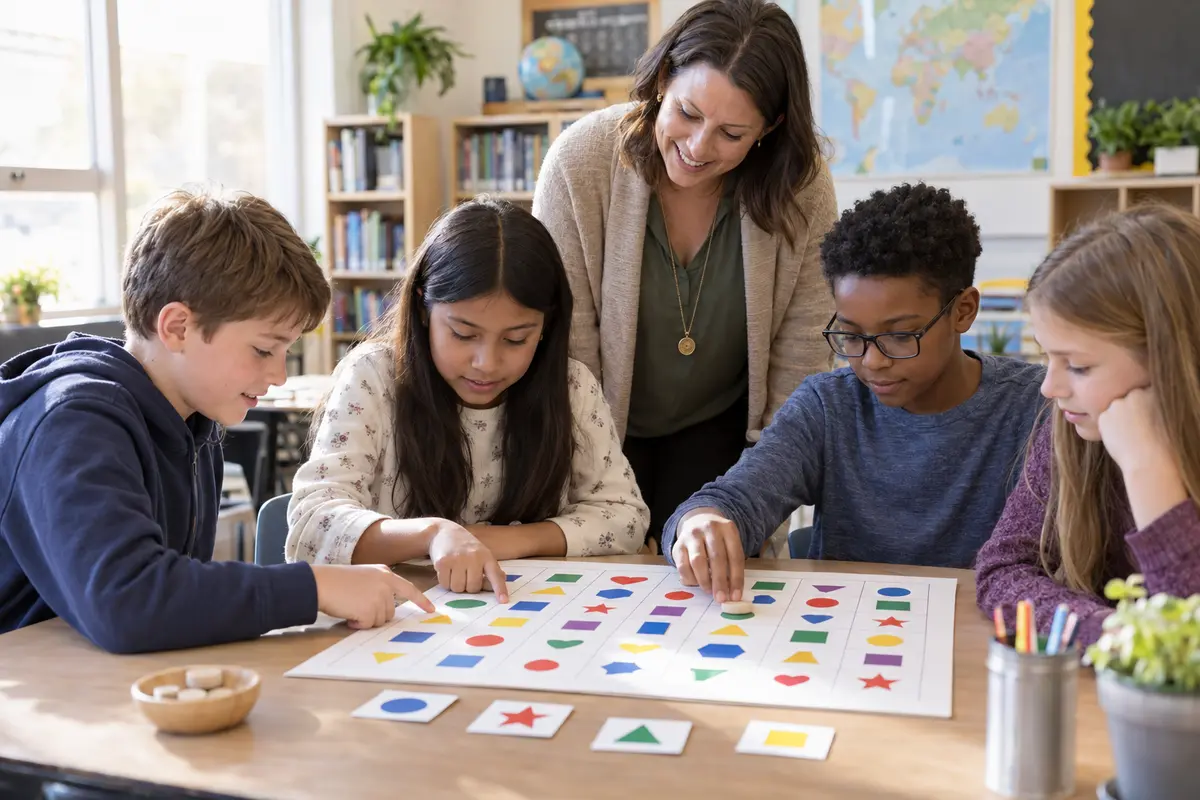
Arrange simple shapes in a grid. Ask for one target, such as green circles, and include distractors that differ by color or shape. Begin with generous spacing. Later, make one feature more similar while keeping the grid size steady.
2. Same, different, and almost the same
Place pairs of pictures or patterns side by side. Learners locate one difference and describe the feature: position, size, direction, color, or quantity. Describing the feature matters more than guessing where it is.
3. Map-and-route search
Use a simple classroom or fictional map. Find a starting place, then scan for two landmarks or compare possible routes.
4. Punctuation or keyword pass
During proofreading, assign one target per pass: capital letters, periods, a repeated word, or evidence for a main idea. Two focused passes are easier to explain and check.
5. Number and data-table scan
Ask learners to find numbers that meet a condition, locate the largest value in each row, or compare two cells in a small table. The task should test the stated math idea, not tiny print or a crowded layout.
6. Change one feature
Show a short sequence, hide it, and replace one item or rotate one shape. The learner scans systematically to find the change and names the evidence. Keep sequences short enough that memory load does not overwhelm the search goal.
7. Game-board preview
Before making a move, scan the board in sections and name two relevant options. This can slow impulsive choosing without requiring a long explanation. After the round, use one prompt from the guide to learning game reflection questions to discuss which search path helped.
Adjust challenge by grade band
| Grade band | Useful starting point | Possible next step |
|---|---|---|
| K–2 | Six to twelve large pictures or shapes with one clear target | Add a second target feature or one extra row |
| Grades 3–5 | A medium grid, simple map, paragraph, or number table | Use closer distractors and ask for a verbal check |
| Grades 6–8 | Tables, diagrams, source excerpts, or strategic game boards | Compare two search methods or justify which features matter |
Grade bands are starting points, not tests of ability. Adjust the display and response mode to the learner and the task. A younger child may manage a complex search when the items are familiar, while an older learner may need enlarged spacing on an unfamiliar diagram.
Make the activity easier or harder
Change one variable at a time. To make a search easier, reduce the field, increase spacing, use distinct distractors, outline sections, keep the target visible, or allow a ruler or marker. To make it harder, add items, make distractors more similar, combine two target features, or remove one support. Changing several variables at once makes it difficult to know what helped.
Avoid treating the fastest search as the best search. Speed may rise with familiarity, but rushing can replace an organized sweep with random guessing. If you record time, keep it private and neutral: “That pass took 45 seconds with two missed items. What will you change on the next pass?”
Connect scanning to attention and play
Short practice can fit inside everyday learning. Preview a worksheet before starting, scan a shelf for a category, inspect a recipe for repeated units, or name two options before a game move. Choose a grade-appropriate activity from the Focusplay learning games, state the scanning target, and use the routine only where it naturally matches the task.
If careful looking begins to fade, pause instead of adding pressure. The guide to movement breaks for kids offers a separate focus-reset routine, while the article on logic games for kids explains how elimination and evidence can support reasoning. These are complementary strategies, not guaranteed solutions.
When to pause and ask for support
Stop if the learner reports discomfort, becomes unusually frustrated, or cannot see the materials clearly. Educational visual scanning activities are not vision therapy, a screening tool, or a medical evaluation. If difficulty with ordinary visual tasks is persistent or affects learning, share specific observations with the child’s teacher and a qualified health or vision professional.
Frequently Asked Questions
What is visual scanning?
Visual scanning is the process of moving attention across a space in an organized way to find relevant information, compare features, and confirm that important areas were checked.
How can kids practice visual scanning?
Kids can search shape grids, compare pictures, follow simple maps, find punctuation or keywords, and inspect tables. A consistent Set–Sweep–Spot–Check routine makes the search process visible.
Should visual scanning activities be timed?
Usually accuracy and an organized method should come before speed. If time is used, treat it as neutral information for the learner rather than a race or public comparison.
How do I make a visual scanning activity easier or harder?
Change one variable at a time: the number of items, spacing, similarity of distractors, number of target features, or amount of visual support. Keep the goal clear while adjusting the challenge.
When should an adult ask for additional help?
If a child repeatedly struggles with ordinary visual tasks, reports discomfort, or the difficulty affects learning, discuss observations with the teacher and a qualified health or vision professional. Educational activities are not an evaluation or treatment.
Sources
- Harvard Center on the Developing Child: A Guide to Executive Function (reviewed September 17, 2026).
- Harvard Center on the Developing Child: Activities Guide—Enhancing and Practicing Executive Function Skills (published May 6, 2014; reviewed September 17, 2026).
- CAST UDL Guidelines 3.0: Highlight and Explore Patterns, Critical Features, Big Ideas, and Relationships (2024; reviewed September 17, 2026).