Screen-Free Bedtime Routine for Kids: A Practical K–8 Guide
A useful screen cutoff gives children a clear path from “one more minute” to a quieter activity and then sleep.
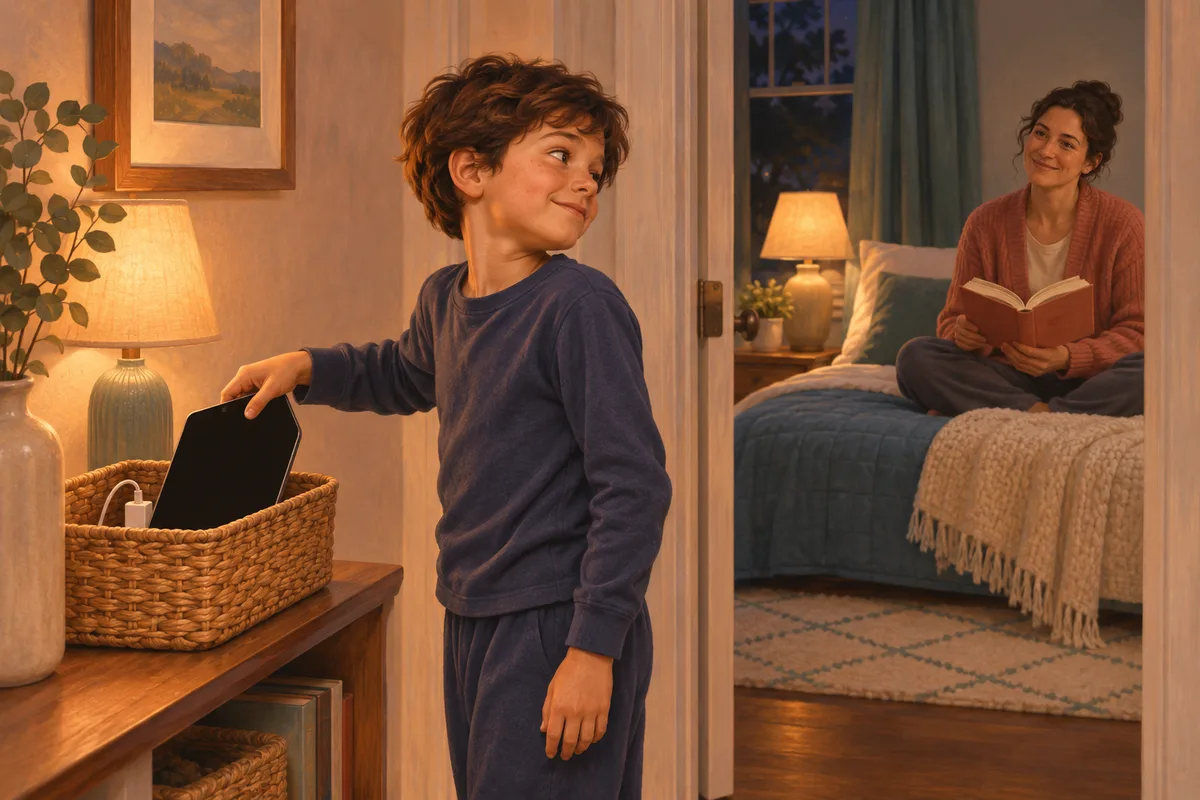
A bedtime rule works better when it tells a child what happens next. “At 8:00, the tablet charges in the hallway; then you choose a book” describes the transition instead of leaving an empty space.
The American Academy of Pediatrics recommends a regular routine, screens off at least 60 minutes before bed, and no screens in the bedroom. The CDC also advises regular sleep times, dimmer evening light, and a media curfew.
Build the routine around four visible actions
- Set the cutoff. Pick a time that leaves room for the routine. State it before the final activity begins.
- Park the device. Use one charging shelf or basket outside sleeping areas. Turn off autoplay and nonessential alerts.
- Shift to a quiet task. Offer a small choice, such as a paper book or drawing. Each option should fit the time available.
- Keep lights-out predictable. End with the same cue, such as a short chapter or a dim lamp switching off.
Match the responsibility to the child’s age
Kindergarten–grade 2: let the environment do most of the work
Use a picture sequence and handle settings yourself. A hypothetical routine might show four drawings: tablet basket, toothbrush, pajamas, book. Young children usually need an adult to guide the transition.
Grades 3–5: hand over one part of the plan
Let the child set the timer or plug in the device. If a game round ends close to cutoff, agree beforehand whether the child may finish it. A known rule prevents a new negotiation each night.
Grades 6–8: plan around homework and communication
Older students may need a laptop for assignments or a phone for family messages. Set a “schoolwork closed” time and an emergency exception. Charge the phone outside the bedroom and review the plan weekly.
Protect enough time for sleep
The American Academy of Sleep Medicine consensus statement recommends 9–12 hours of sleep per 24 hours for ages 6–12 and 8–10 hours for ages 13–18. These are population ranges, not a diagnosis for an individual child.
Work backward from the required wake time. A 10-year-old who wakes at 6:45 a.m. and needs about 10 hours of sleep would need lights out near 8:45 p.m.; a one-hour screen cutoff would land near 7:45 p.m. This is a planning example, not a prescription. Travel, activities, illness, and individual needs can change the schedule.
What the evidence can—and cannot—tell us
A 2024 National Sleep Foundation consensus statement concluded that screen use and pre-sleep content impair sleep health in children and adolescents, and that behavioral strategies may reduce the effect. Consensus statements summarize a body of research; they do not prove that every child will sleep poorly after every evening screen session.
A video or game can push bedtime later, alerts can interrupt settling, and intense content can keep a child engaged. Change the schedule and environment first, then observe. If a child regularly struggles to fall asleep, wakes often, snores, or is very sleepy during the day, speak with a pediatrician.
Handle exceptions without abandoning the routine
Late homework, travel, family events, and weekend calls happen. Use a shortened version: charge the device, wash, choose one quiet activity for ten minutes, then lights out. Return to the normal timing the next evening.
If conflict repeats, inspect the routine. Is the cutoff announced too late? Does the device have an obvious stopping point? Is the replacement activity appealing? The AAP’s Family Media Plan guidance suggests screen-free times and places, disabling autoplay and notifications, and offering offline alternatives.
Connect evening play to a clear stopping point
Short learning games can fit an evening when the endpoint is decided first. Choose one Focusplay activity or a fixed number of rounds, finish before the household cutoff, and use the game’s end as the cue to park the device. For more help with the transition, see Digital Stop Cues for Kids and the broader Family Media Plan guide.
Try this tonight
Write one sentence with a time, a place, and the next action: “At 7:45, screens charge on the kitchen shelf, then you may read or draw.” Announce it before the final screen activity. Follow the same sequence for several evenings before deciding what to adjust.
Frequently asked questions
How long before bed should children stop using screens?
The American Academy of Pediatrics recommends turning off screens at least 60 minutes before bedtime. Families can begin with a consistent 30-minute cutoff if an hour is not yet workable, then move it earlier.
Should a child’s phone or tablet stay in the bedroom overnight?
The American Academy of Pediatrics recommends keeping screens out of children’s bedrooms, especially at night. A shared charging place outside the bedroom removes alerts, checking, and negotiation from the sleep space.
What can children do instead of using a screen before bed?
Quiet options include reading on paper, drawing, preparing clothes for the next day, doing a simple puzzle, listening to calm audio from a device controlled outside the bedroom, or talking with a caregiver.
What if homework requires a device at night?
Set a homework finish point, save and close the work, and park the device outside the bedroom when possible. If late device use is unavoidable, keep the transition short and predictable rather than treating the evening as failed.
Does one late screen night ruin a child’s sleep routine?
No. A routine is a repeated pattern, not a perfect streak. Return to the usual cutoff and wake time the next day instead of adding punishment or extending the argument.
Sources
- American Academy of Pediatrics: Healthy Sleep Habits—How Many Hours Does Your Child Need?
- American Academy of Pediatrics: How to Make a Family Media Plan (updated January 20, 2026)
- CDC: Sleep and Health
- American Academy of Sleep Medicine: Recommended Amount of Sleep for Pediatric Populations
- National Sleep Foundation: The Impact of Screen Use on Sleep Health Across the Lifespan (2024)