Digital Stop Cues for Kids: A K–8 Guide to Ending Screen Time
“Turn it off” asks a child to stop, but it does not always show when the activity ends or what happens next. A digital stop cue makes that transition concrete.
Key takeaways
- Define the end as a unit a child can recognize, not only an adult's command.
- Disable autoplay and nonessential notifications where settings allow.
- Prepare a realistic next step before the screen session ends.
- Use a consistent physical close, such as saving, closing, and docking the device.
Why digital activities can be hard to stop
Some media have natural endings: a chapter closes, a puzzle is completed, or a song ends. Digital services can remove those boundaries. The American Academy of Pediatrics' January 20, 2026 policy statement on digital ecosystems identifies endless scroll, autoplay, rewards, and notifications as engagement-based design features. It notes that endless feeds and autoplay can make it harder to disengage, while notifications can interrupt school or sleep.
The problem is not always a lack of willpower or a “bad attitude.” A child may be leaving a social exchange, a game that cannot pause, or a feed with no final item. Adults still set limits, but they can also create clearer stopping points.
The Preview–Disable–Choose–Close routine
1. Preview the endpoint
Before starting, name what “finished” means: one episode, two rounds, the end of a learning activity, or a specific clock time plus a save point. For open-ended feeds, use a timer because the content itself has no natural finish. Ask the child to repeat or point to the endpoint so the plan is shared.
2. Disable automatic continuation
Turn off autoplay where the platform provides that setting. Silence nonessential notifications during homework, meals, and the bedtime routine. For younger children, remove shortcuts to content that is not part of the planned session. These changes do not guarantee an easy transition, but they return a moment of choice before more content begins.
3. Choose what comes next
A blank transition invites negotiation. Pick a specific next action: snack at the table, shoes for outside, shower, reading, or putting homework materials away. The next activity does not have to be exciting, but it should be known. Offer two acceptable choices when appropriate: “After the tablet, would you rather draw or build?”
4. Close with the same actions
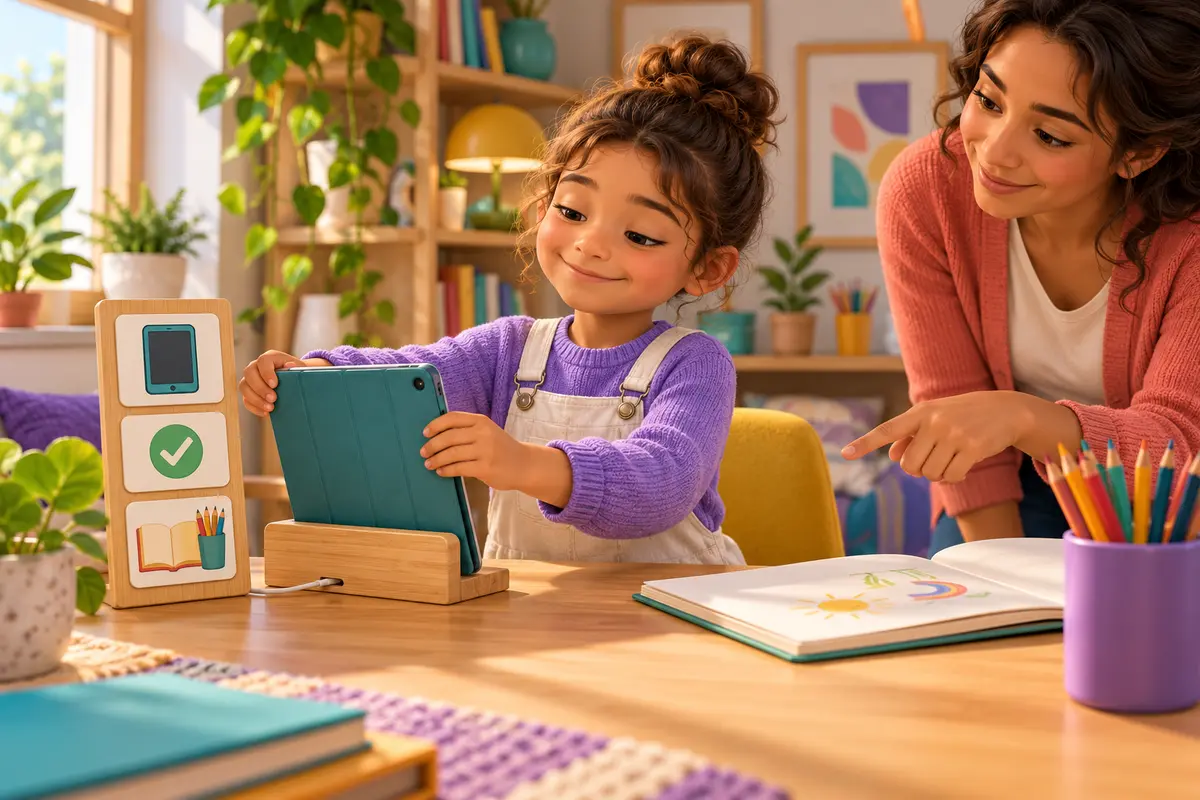
Use a short sequence: save, sign out if needed, close the cover, and place the device in its home. A picture strip can help younger learners; older students can use a checklist or charging station. Keep the routine neutral. A long lecture after the device closes makes the ending feel larger and less predictable.
Match the cue to the child's age
| Grade band | Useful stop cue | What the adult does |
|---|---|---|
| K–2 | Three-picture strip: finish, device home, next activity. | Stay nearby, name the final unit, and guide the physical close. |
| Grades 3–5 | Timer plus an agreed save point or final round. | Help check autoplay and notification settings; offer two next-step choices. |
| Grades 6–8 | Self-set alarm, focus mode, and a written stopping plan. | Review whether the plan worked and adjust settings collaboratively. |
Choose endpoints that fit the activity
A clock is not always the best single cue. Leaving mid-round may affect other players, while saving a creative project may take a minute. Try: “Start no new match after the alarm,” or “At the reminder, save at the next safe point.”
For video or scrolling, a deliberate click to continue creates a useful choice. The AAP recommends autoplay be off by default and encourages families to discuss how children know when they are done. Device-level limits can help when a service lacks adequate controls.
What to do when the transition still goes badly
Keep the boundary short and calm: “You wanted to continue. It is hard to stop. The tablet is docking now.” Later, examine the routine without blame. Was the endpoint unclear? Did a new video begin? Was the next activity unprepared?
Change one variable at a time: move the warning, silence a notification category, or choose an activity that saves reliably. The AAP's healthy digital habits guidance also recommends do-not-disturb periods, screen-free times and places, and regular offline activities.
Use stop cues at school
Teachers can post the endpoint, give one final-task cue, close tabs, return devices, and preview the next lesson. Keep the closing action consistent across apps so device cleanup becomes a learned procedure.
Connect the routine to Focusplay
Before a Focusplay session, choose the endpoint—a completed activity or planned number of rounds—and identify what follows. At the end, let the child save and close, then ask one brief reflection question. For a broader household approach, combine these stop cues with a family media plan. Focusplay activities are most useful when they sit inside balanced routines that also protect sleep, movement, relationships, and offline play.
Frequently asked questions
Why is it hard for some kids to stop screen time?
A child may be deeply engaged, may not know what comes next, or may be using a service designed to keep content continuing. Autoplay, endless feeds, rewards, and notifications can remove natural stopping points.
Should parents turn off autoplay?
Turning off autoplay is a useful default when the service allows it because each new episode or video then requires a deliberate choice. It is one support, not a complete solution by itself.
How much warning should a child get before screen time ends?
There is no universal warning time. Give one predictable cue early enough to finish the agreed unit, such as a level, activity, or episode, and avoid extending the session through repeated warnings.
What if a child becomes upset when the device is put away?
Stay calm, acknowledge the disappointment, and follow the agreed closing routine. Review the plan later, not during the peak of the conflict. Seek professional guidance if digital use repeatedly disrupts sleep, school, relationships, or daily functioning.
Sources
- American Academy of Pediatrics: Digital Ecosystems, Children, and Adolescents—Policy Statement (January 20, 2026)
- HealthyChildren.org: How to Build Healthy Digital Habits—5 Tips for Families (January 6, 2026)